
How to Purchase a FlowReel Code on Kinguin
Important: After purchasing on Kinguin, please return to FlowReel and enter the code to activate your benefits.
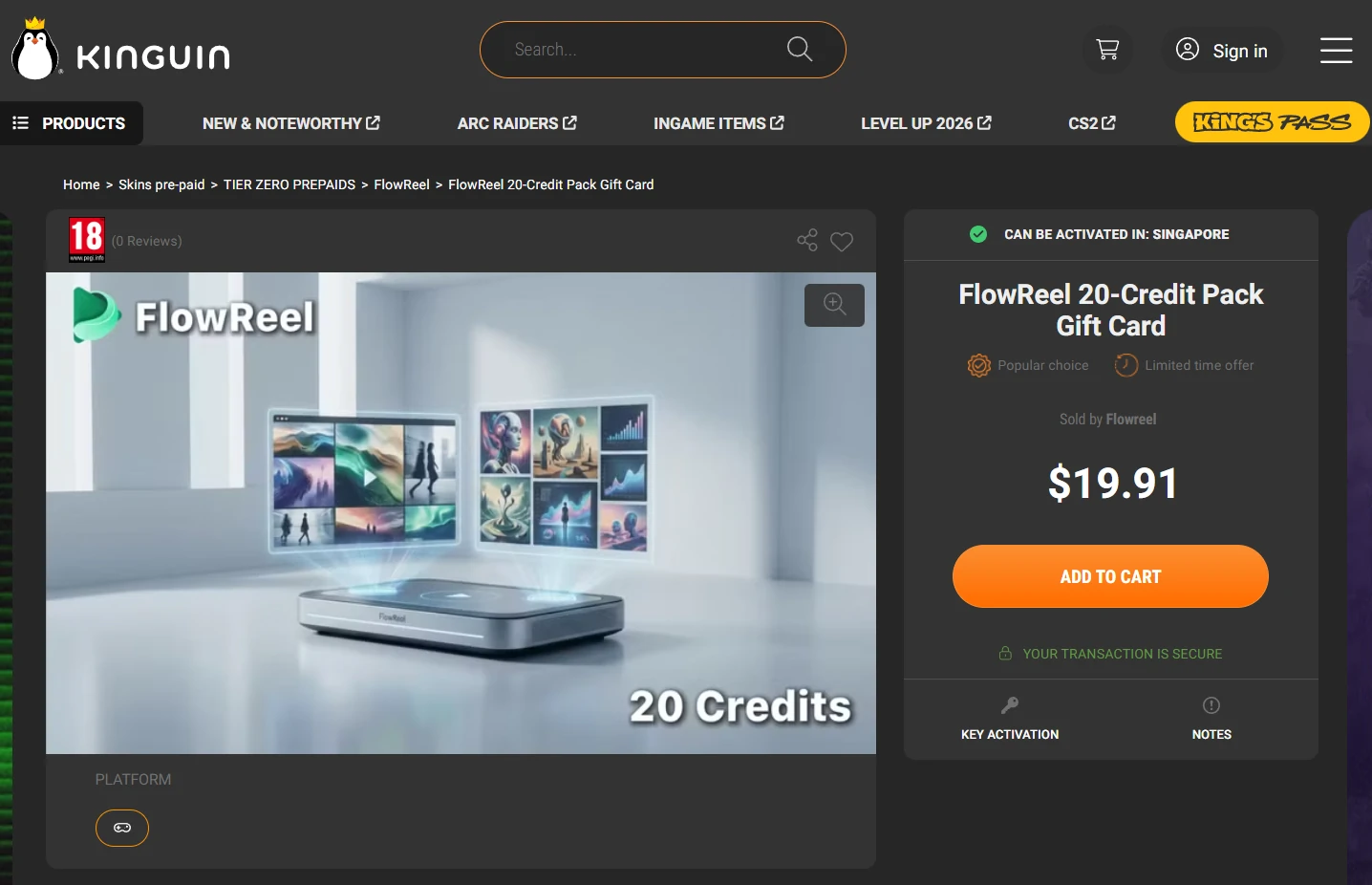
1
Step 1. Select your desired product.
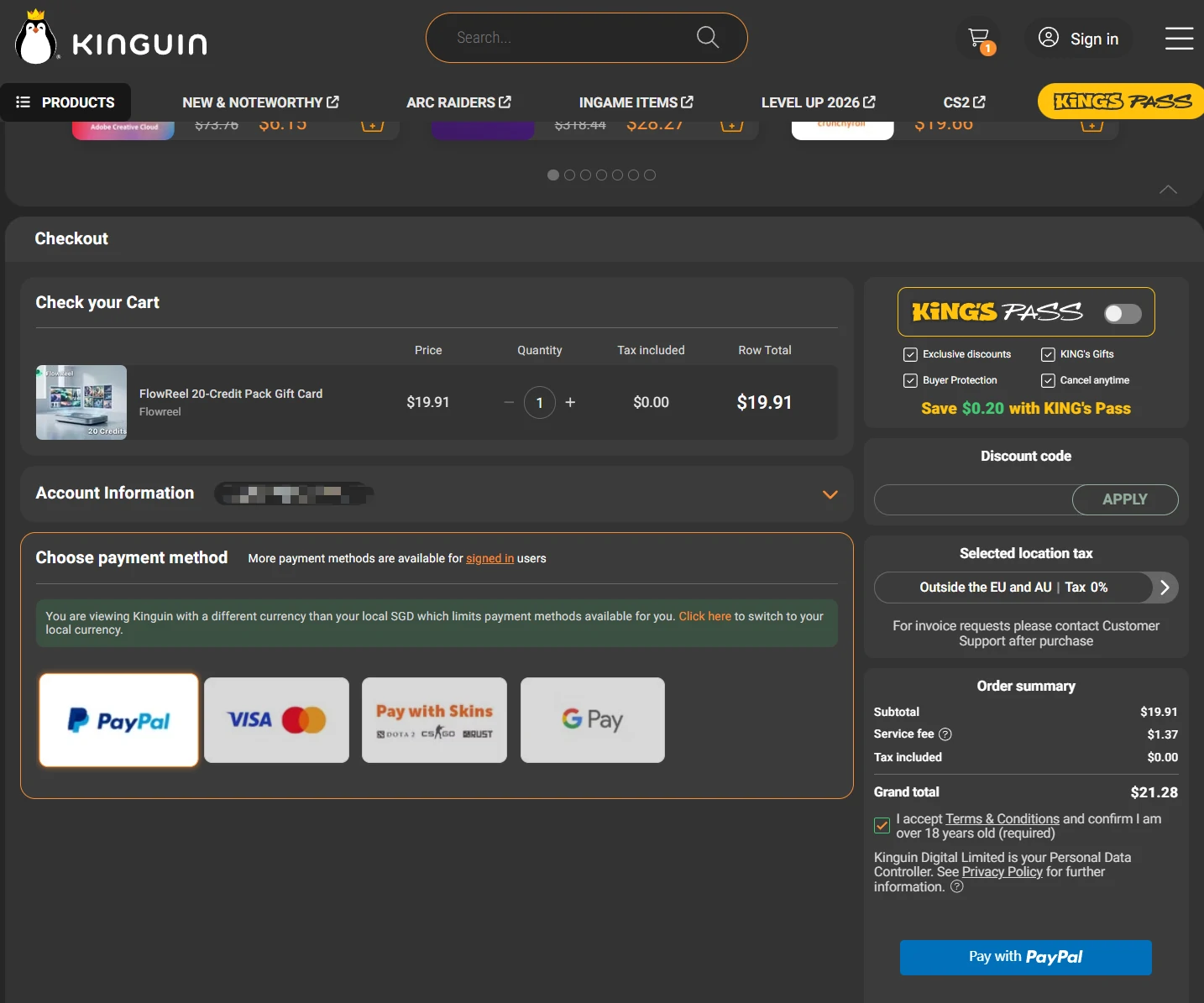
2
Step 2. Add to cart and complete payment.
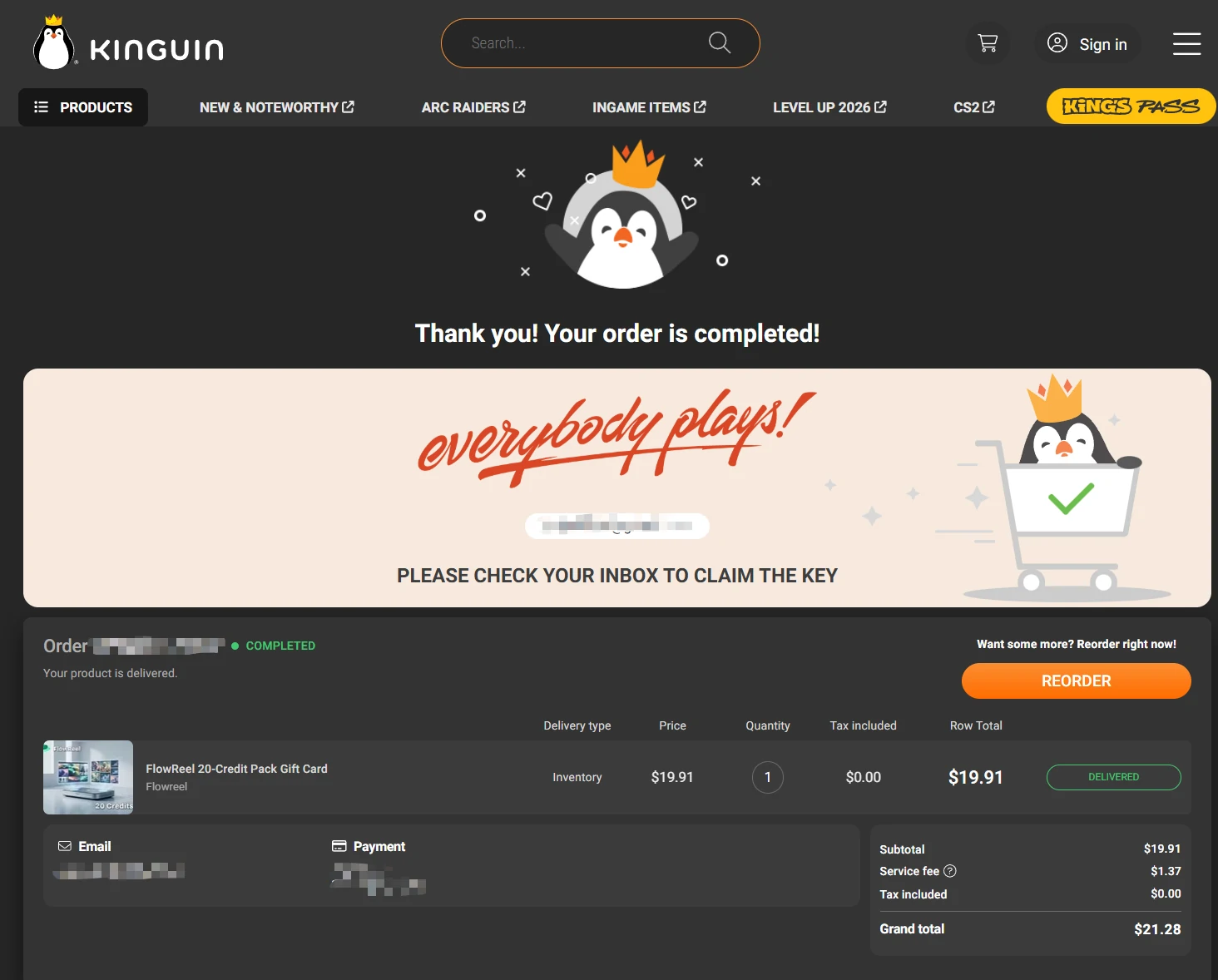
3
Step 3. Check your Inbox to find the order.
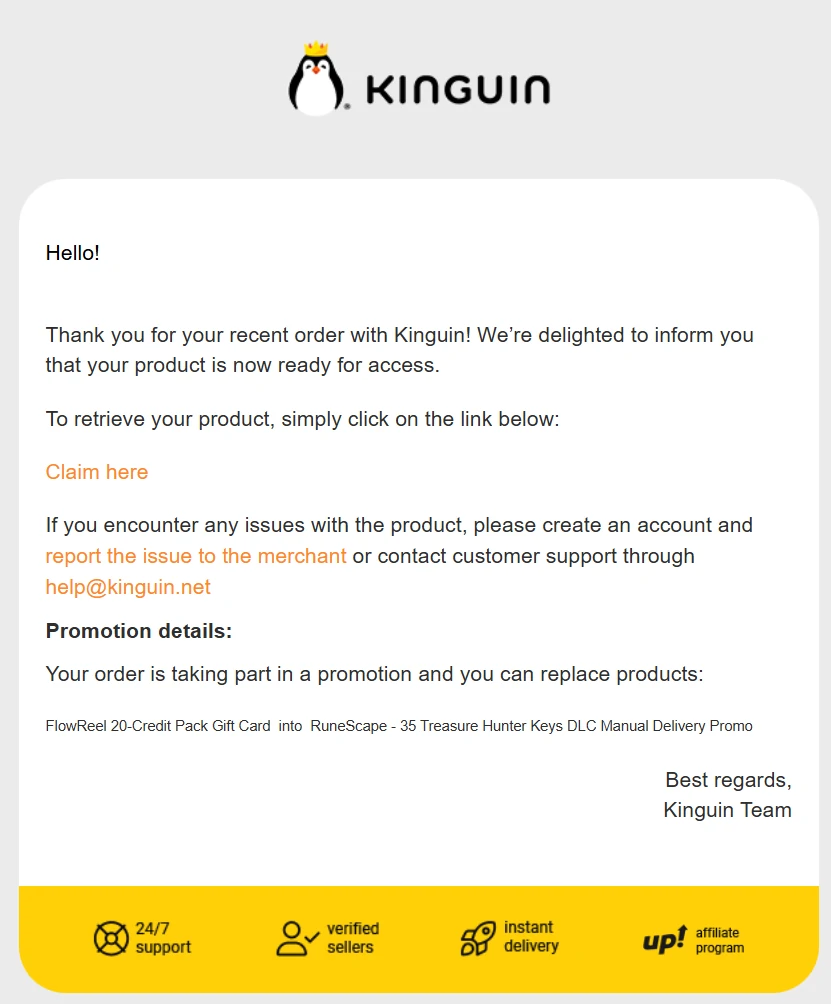
4
Step 4. Simply click Claim in the confirmation email.
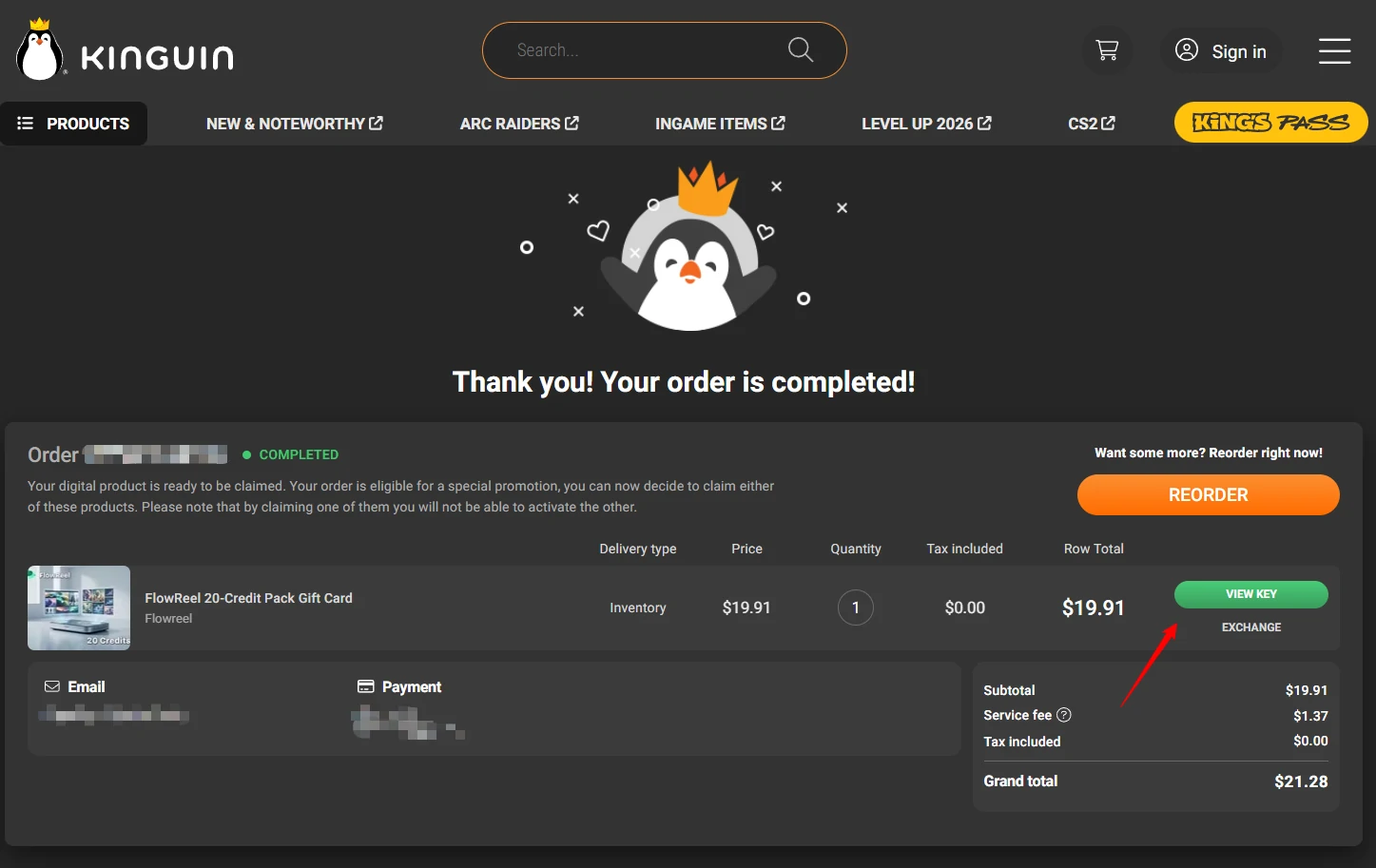
5
Step 5. Click the View Key button.
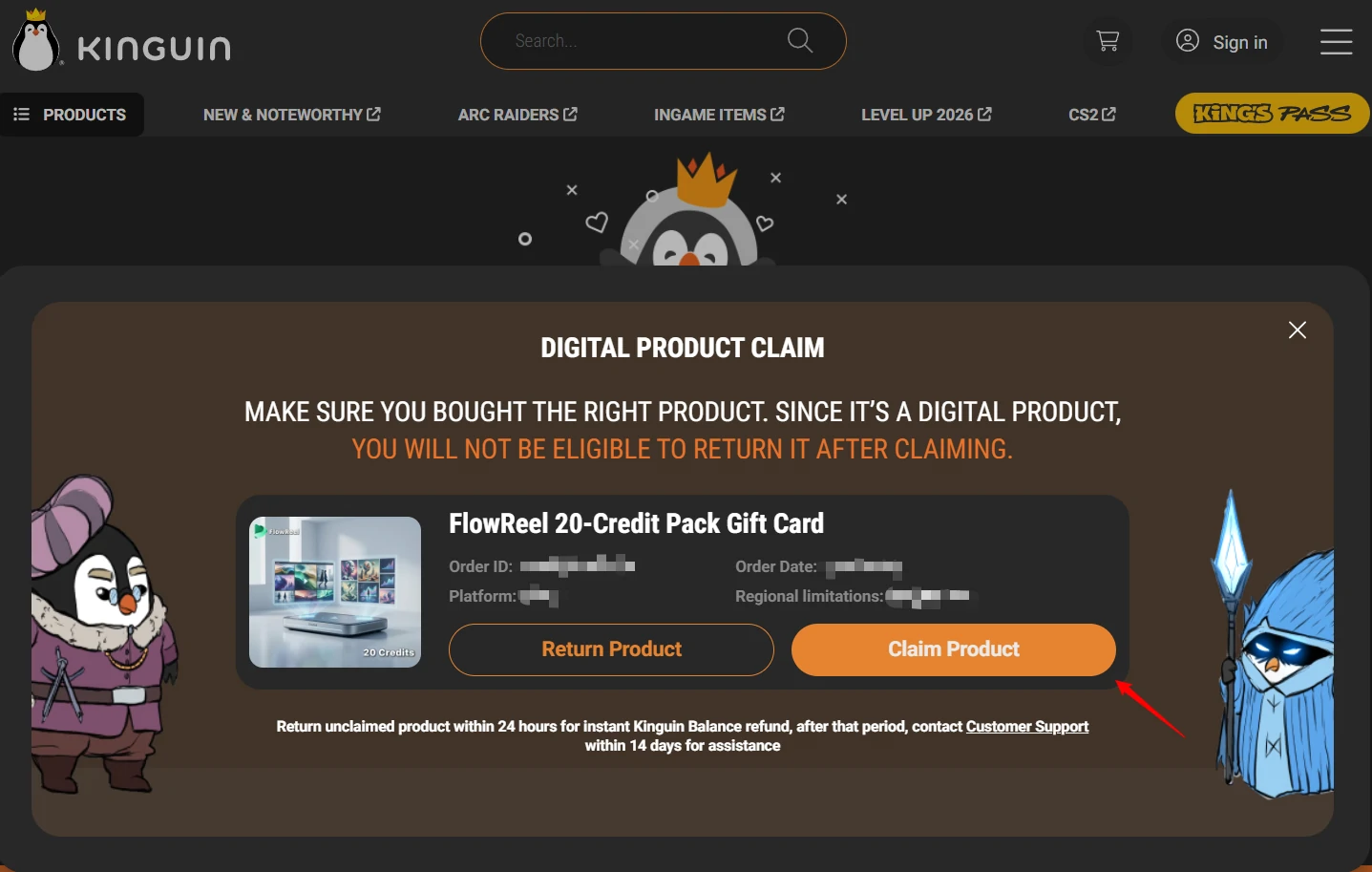
6
Step 6. Click Claim Product to confirm.
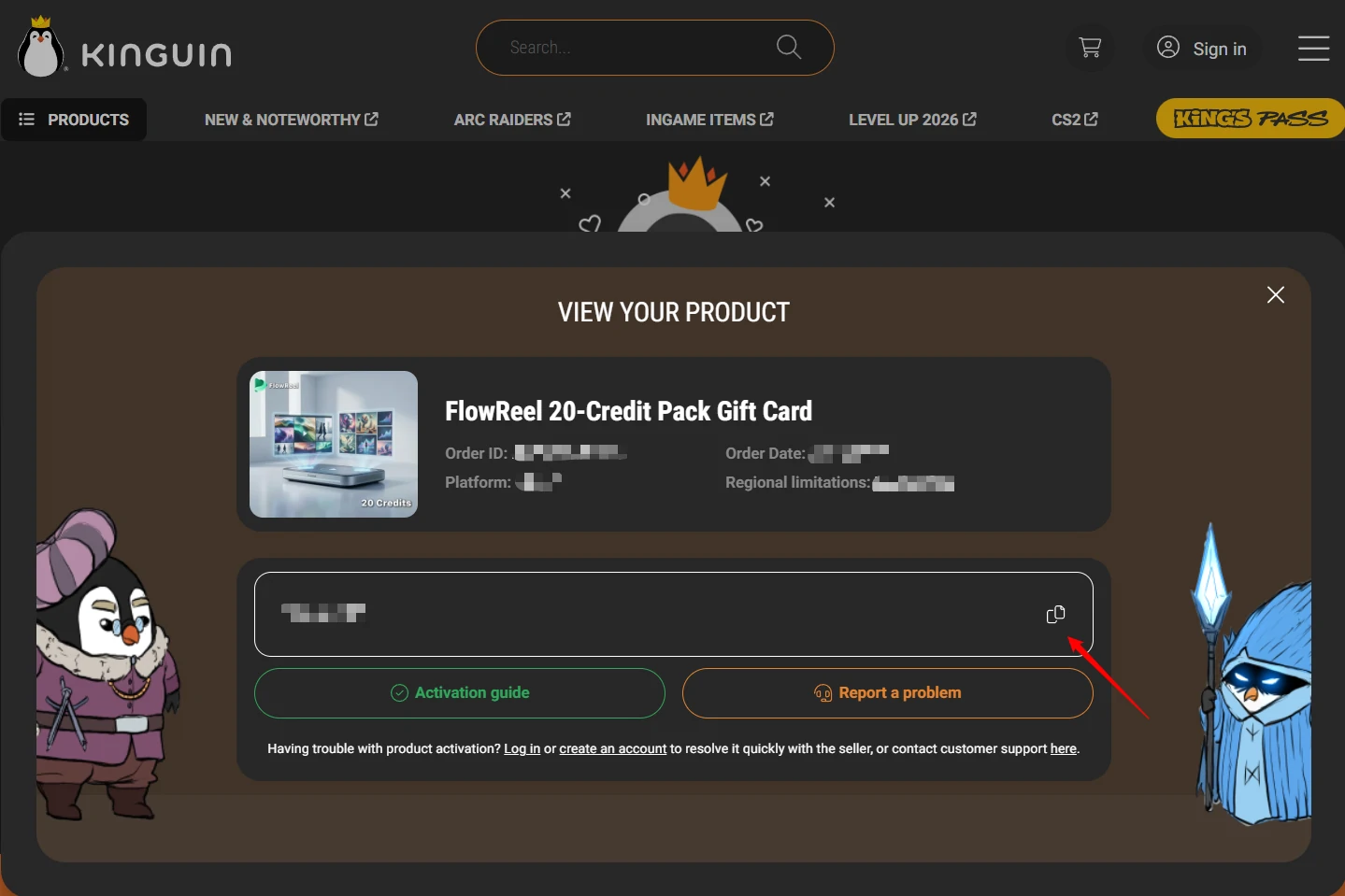
7
Step 7. The code will appear on the page; click to copy it.
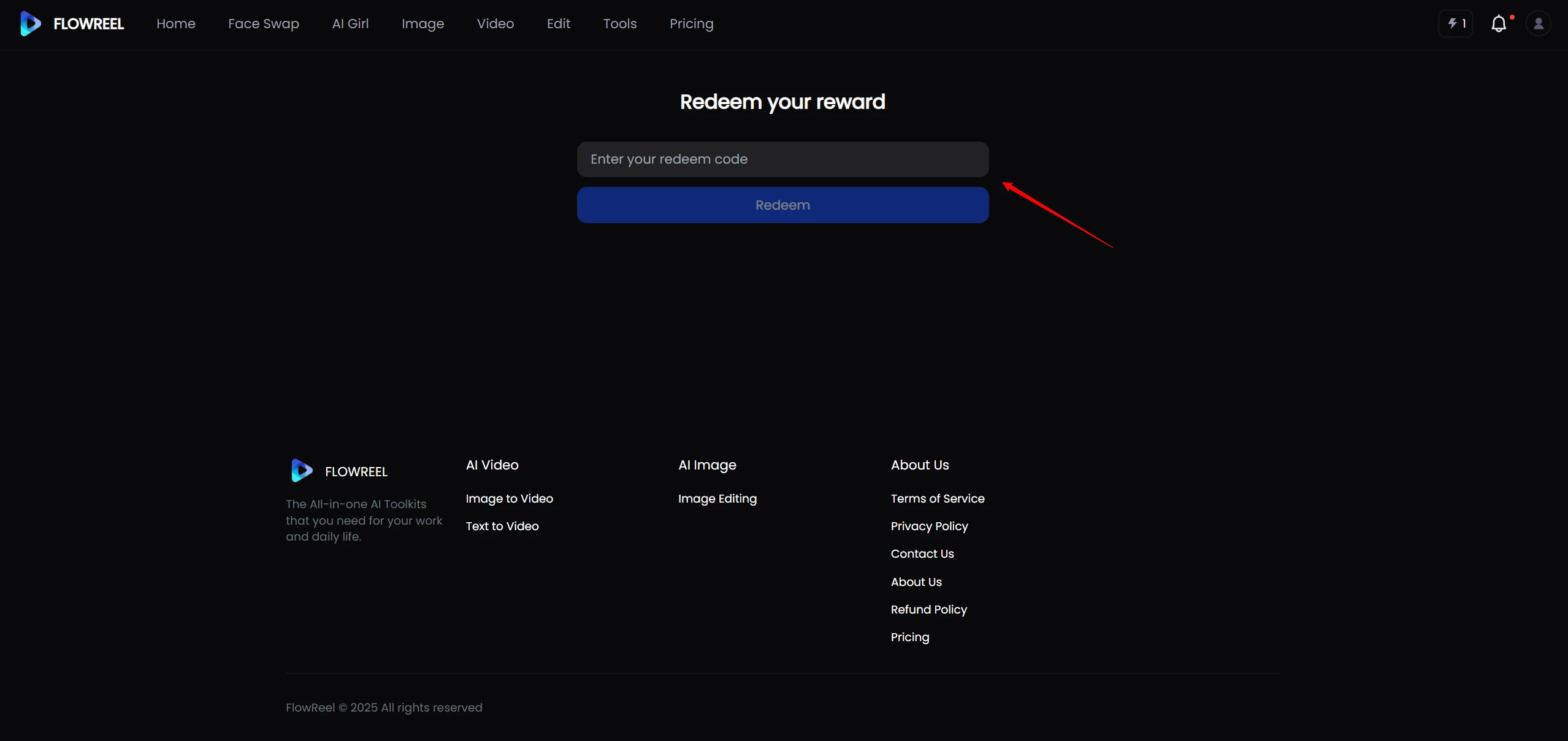
8
Step 8. Go to redeem page, paste the code, and activate